Sales Commission Report on Phone
Open safari and launch the Evolve Webbrowser
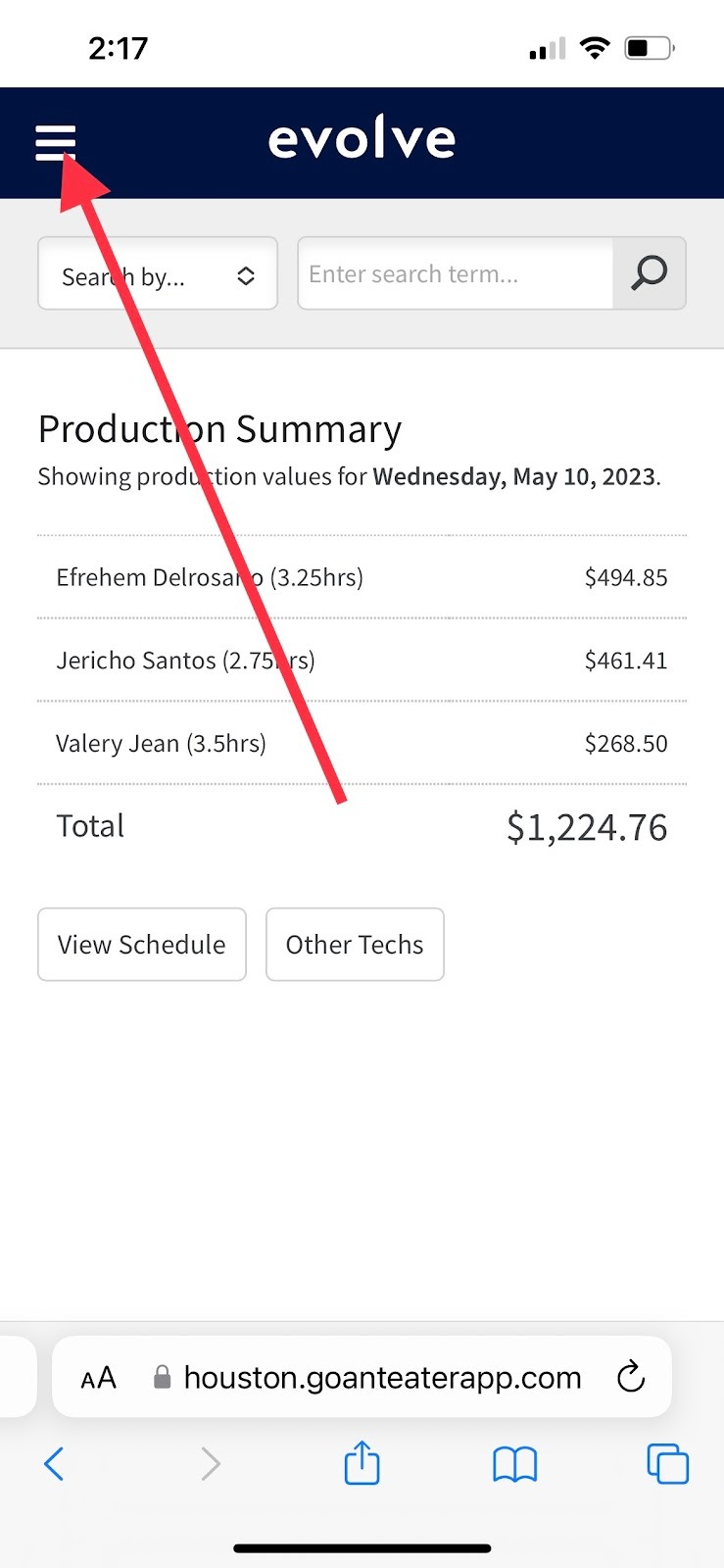
Select the Menu as shown below.
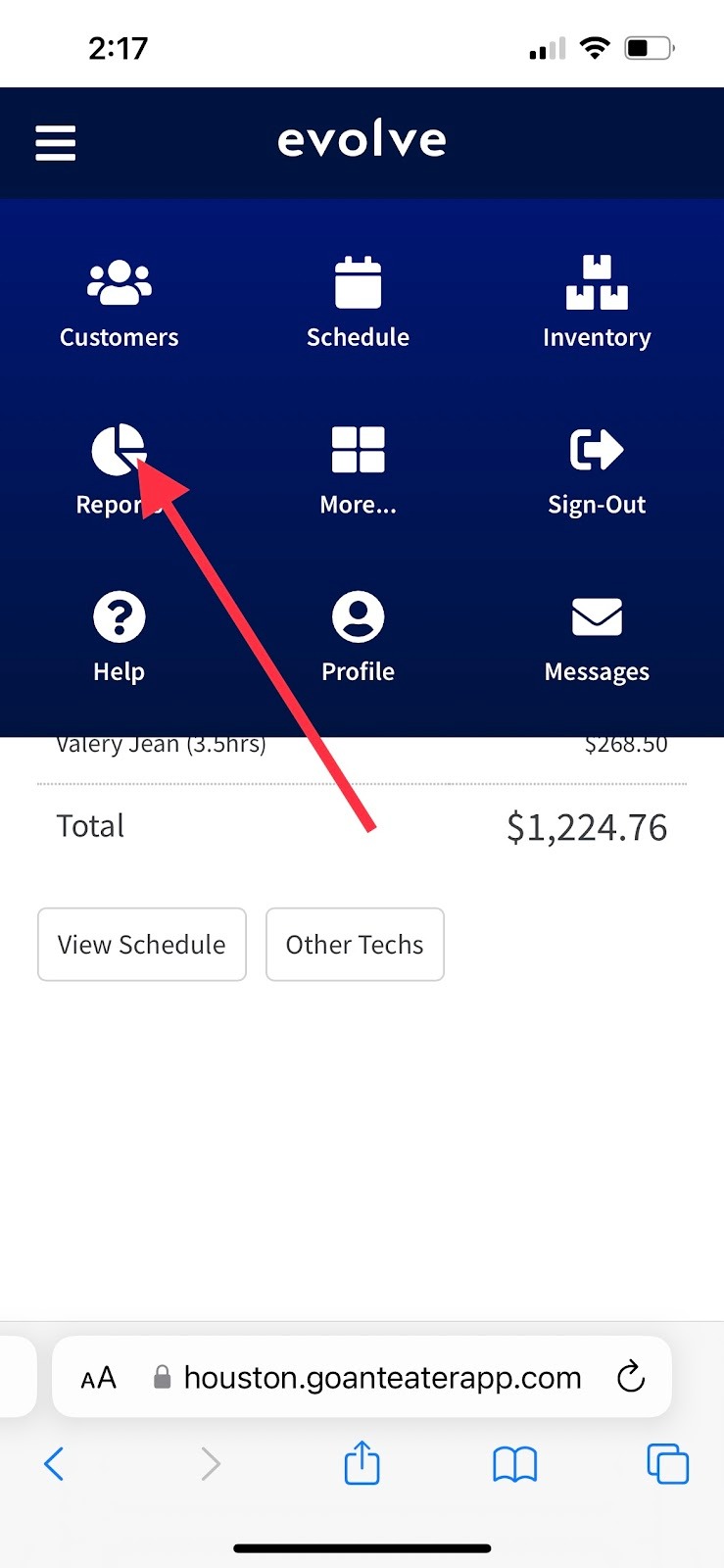
Select Reports.
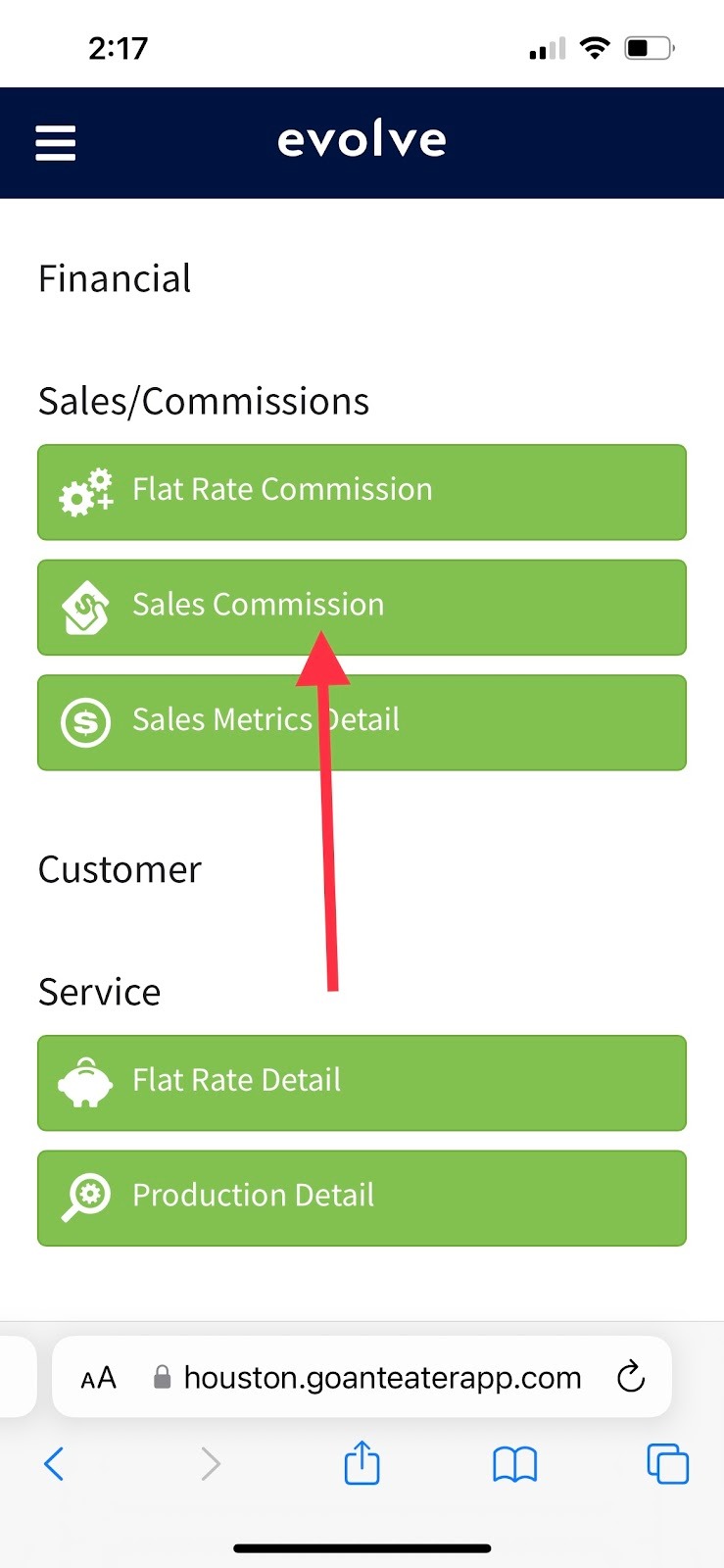
Select Sales Commission.
Enter the desired Start Date.
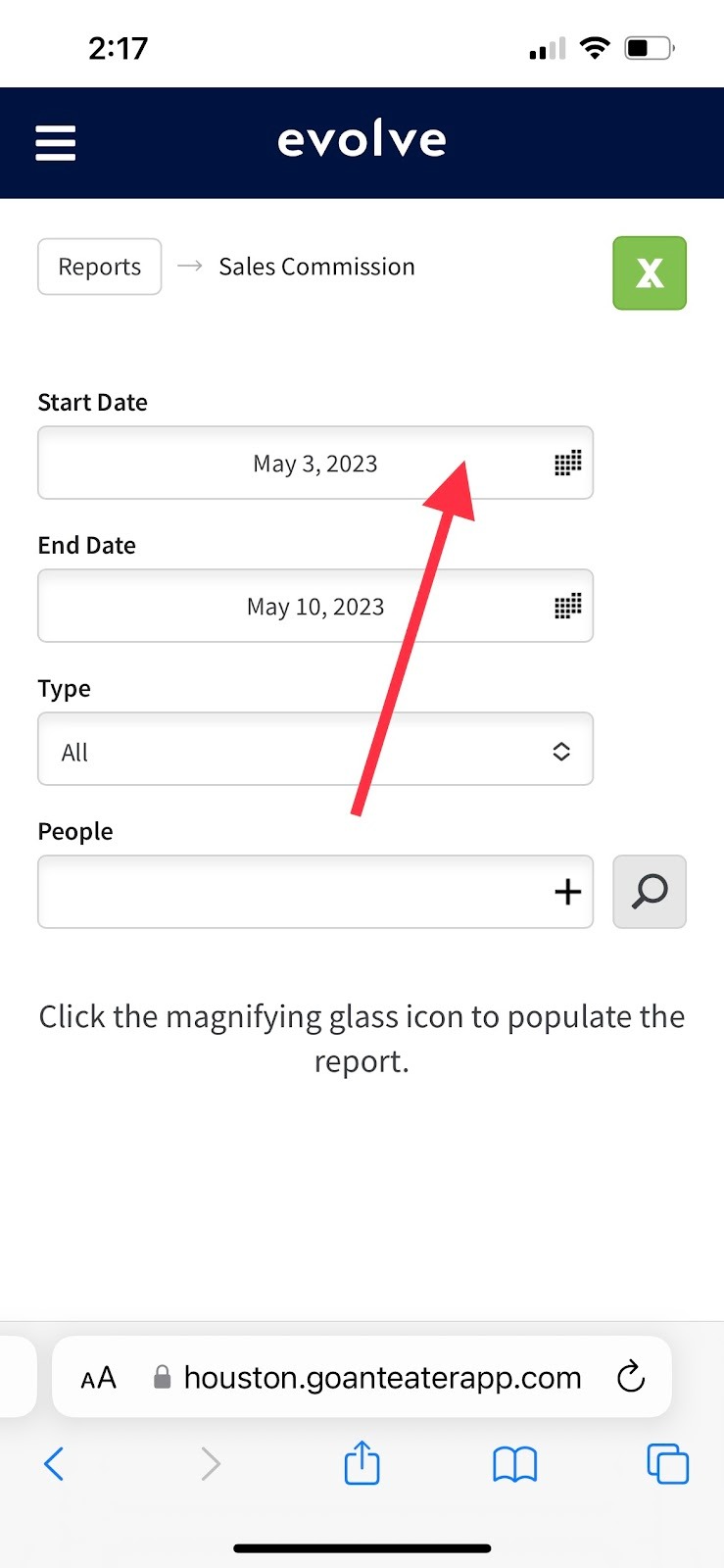
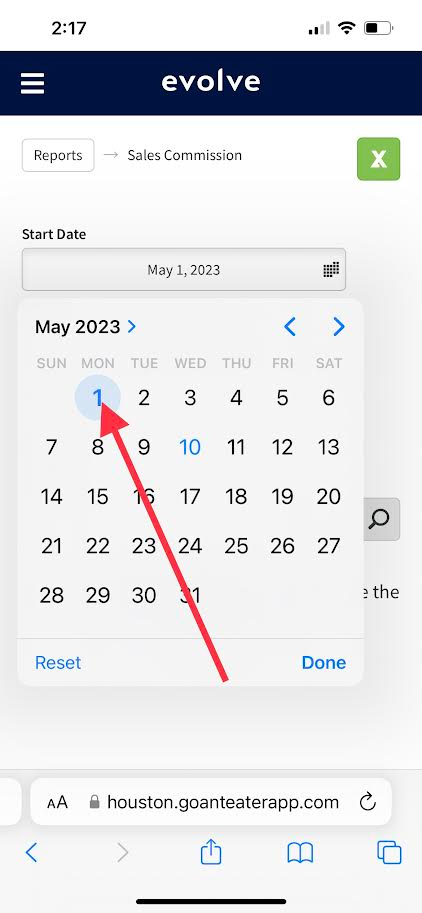
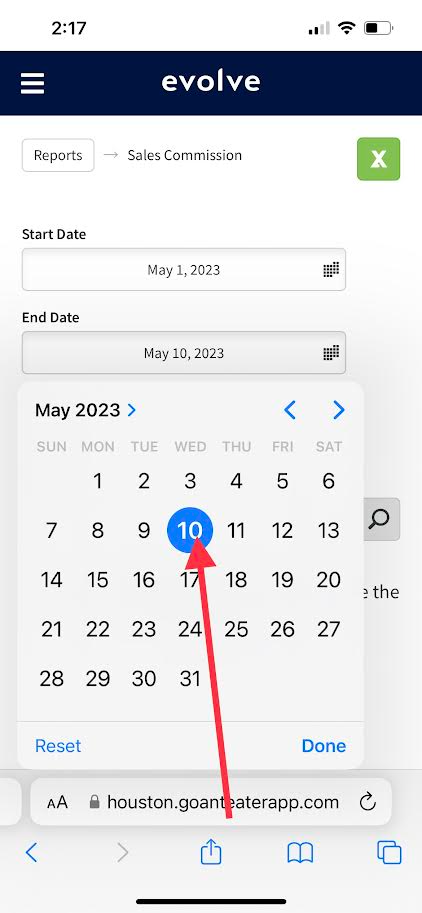
Enter desired End Date.
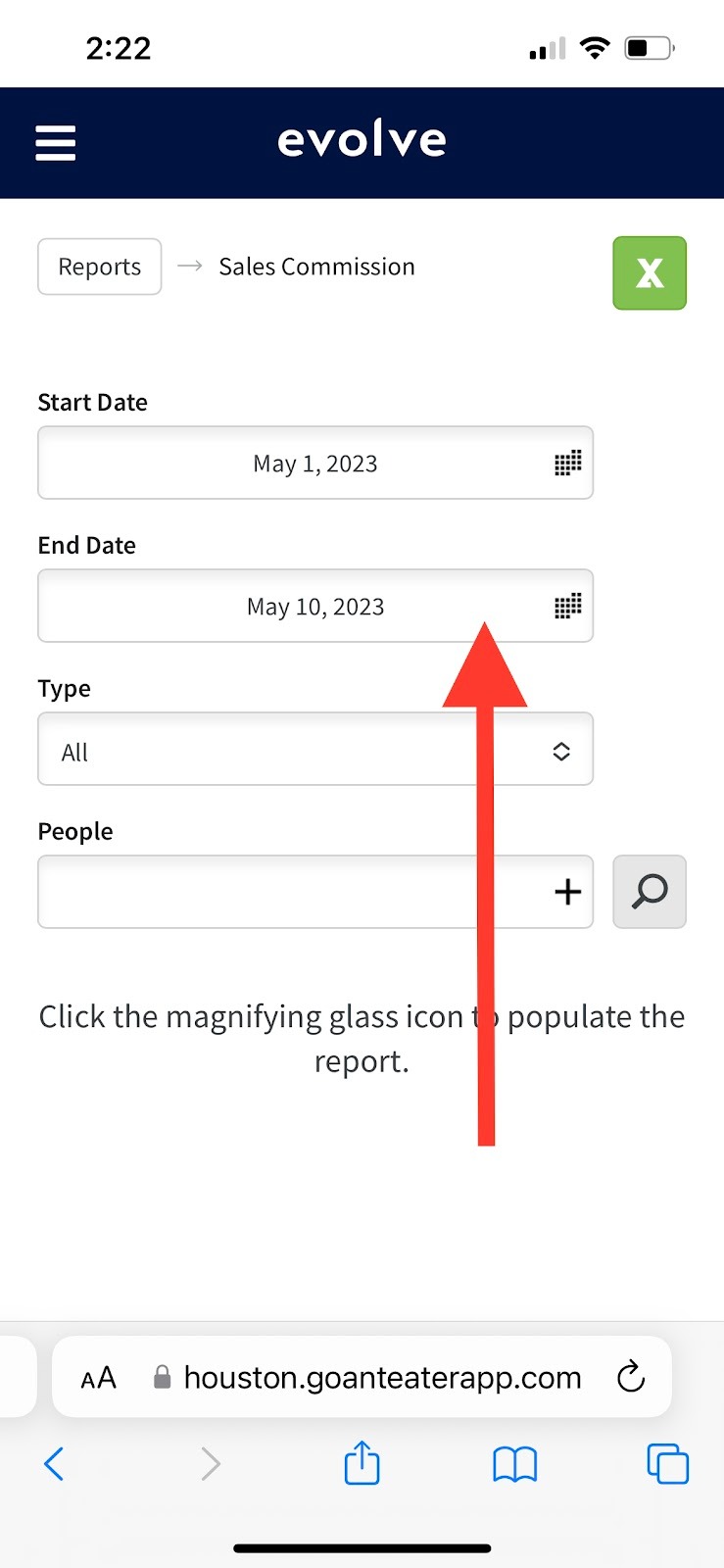
Select the desired Type. (This is the type of sale that was made, All is generally the preferred Type)
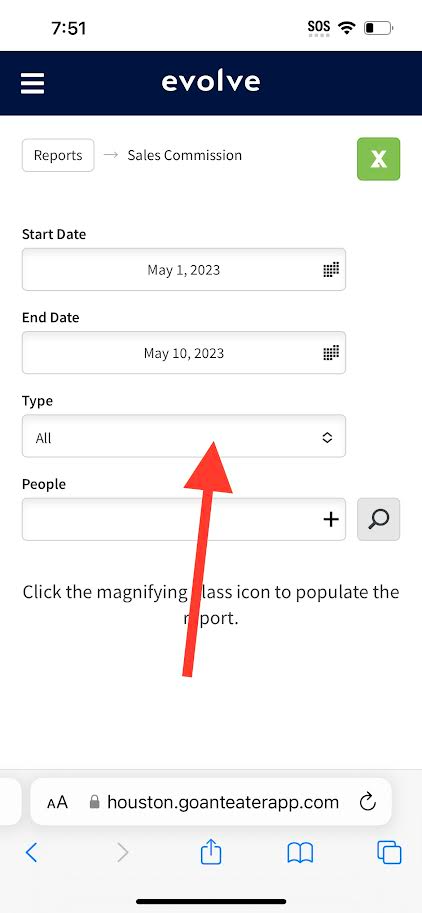
Select the Person/People
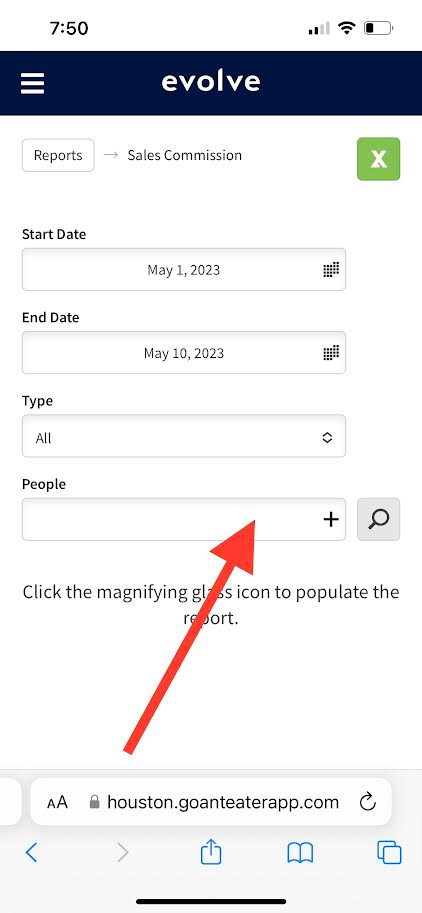
Select the Magnifying Glass to generate the Report.
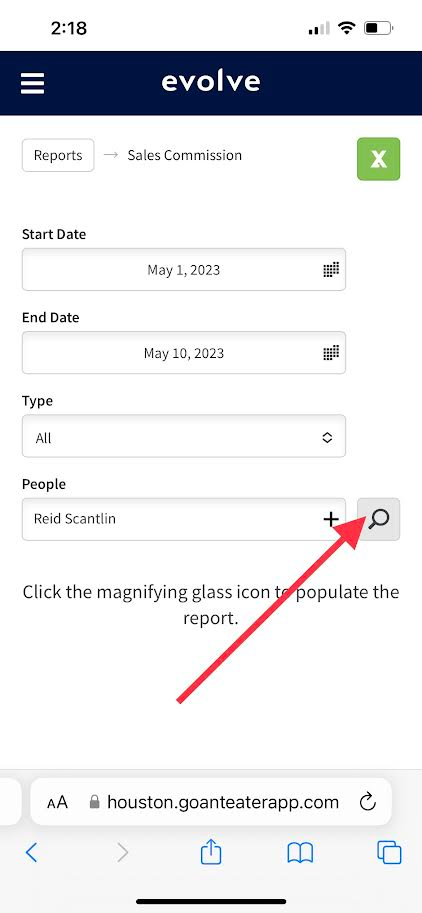
This is an example of a generated report.
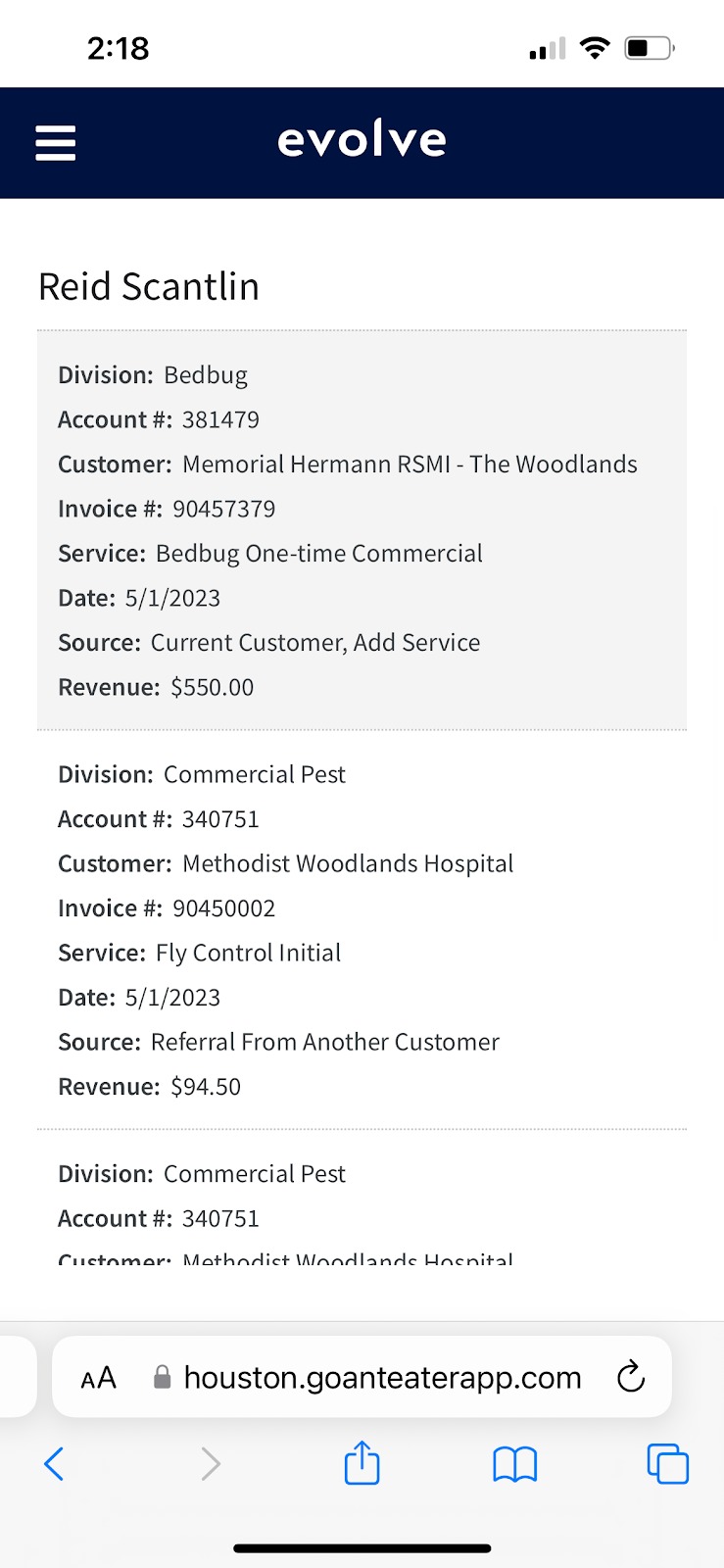
The Green X will export to excel. At this point in time the mobile app for excel does not support this file type, it is best to utilize this feature on a computer with Microsoft Excel.
On Commercial Account add on sales, you will want to focus on Split Value, as this is what the commission will be paid on. You can only view this in the Excel Spreadsheet.
All Sales are paid out on the 15th of the next month. Example if you make a sale on the 1st of April you will be paid on the 15th of May.
Approved by:
Steven Martin
Norman
Dylan Jenkins
Michael Green
Was this article helpful?
That’s Great!
Thank you for your feedback
Sorry! We couldn't be helpful
Thank you for your feedback
Feedback sent
We appreciate your effort and will try to fix the article