How to Update Customer’s Contact Information in Evolve App
Ensuring that we have accurate customer contact information is a fundamental pillar of providing exceptional customer service. With the correct details on hand, we can seamlessly coordinate scheduling, handle billing efficiently, and promptly communicate with our valued customers whenever the need arises. This commitment to accuracy not only streamlines our internal processes but also fosters a smooth and enjoyable experience for our customers. By having up-to-date information at our fingertips, we can swiftly address their inquiries, fulfill their requests, and go above and beyond to exceed their expectations. Let's strive to create a customer service experience that is truly second to none, where reliability and responsiveness pave the way for lasting customer satisfaction.
Open Evolve.

Select the desired Service Order.
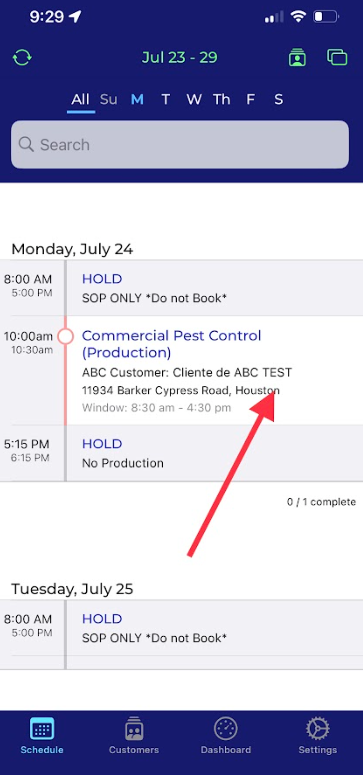
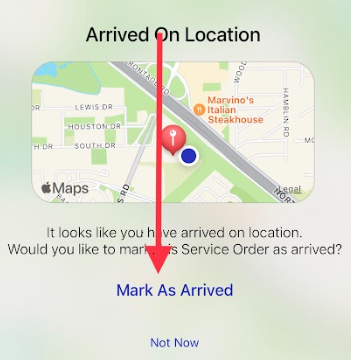
Mark as arrived if you haven’t already done so.
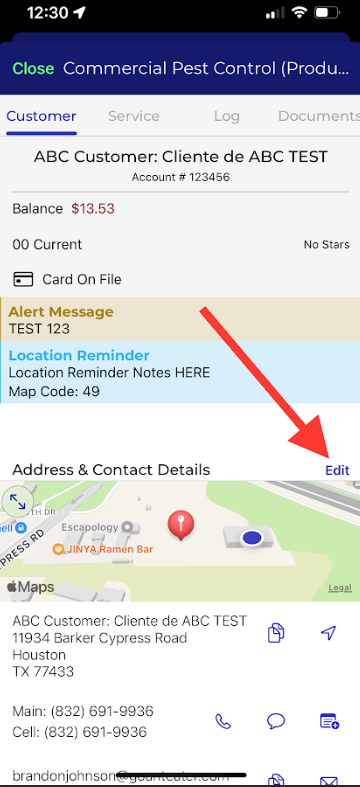
Select the Edit button next to Address & Contact Details.
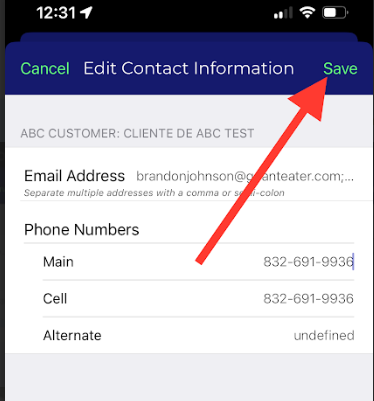
Here you will be able to edit the contact’s phone number and email address.
You can add multiple email addresses by adding a comma/semicolon between the email addresses.
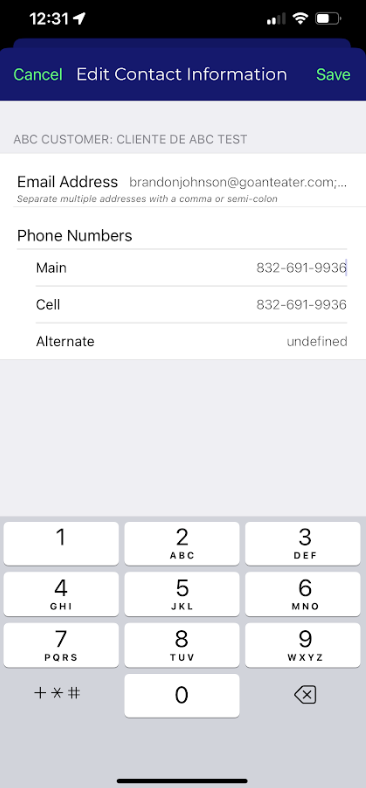
When you have completed editing the customer’s contact information press the Save button on the top right corner of the screen.
Approved by:
Norman
Kenneth Baughman
Steven Martin
Was this article helpful?
That’s Great!
Thank you for your feedback
Sorry! We couldn't be helpful
Thank you for your feedback
Feedback sent
We appreciate your effort and will try to fix the article